00Context
- Role
- Designer & Engineer
- Team
- Just me
- Skills
- Swift, SwiftUI, macOS, Release engineering
What is Stowaway?
Stowaway is a menu bar utility for macOS. Close the lid, put the laptop in a backpack, and long-running work keeps going: Claude Code sessions, builds, downloads. It’s free, open source and installs with one Homebrew command.
Goal
Close the lid and walk away, knowing the work will be done when you open it again.
01Problem
Closing the lid stops everything
A MacBook sleeps the moment its lid closes, unless an external display is attached. For an AI agent halfway through a two-hour task, everything pauses until the laptop opens again.
The usual keep-awake tools can’t help: caffeinate and power assertions don’t override lid-close sleep. The one switch that does, pmset disablesleep, needs root.
02Design
One orb, a timer and a few safeguards
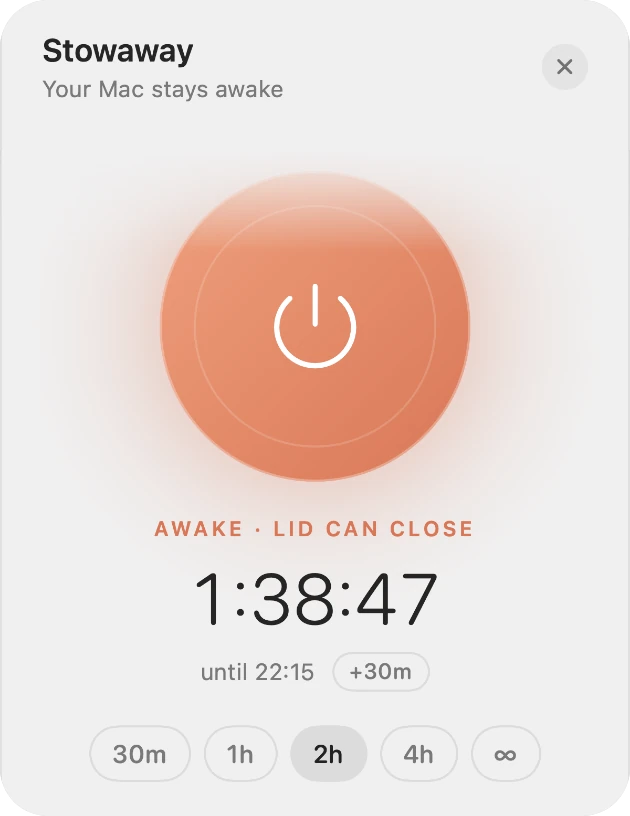
Stowaway lives in the menu bar and slides in as a slim sidebar. Tap the orb and the Mac stays awake for 30 minutes to 4 hours, or with no limit, with the time left shown in the menu bar.
A closed laptop in a bag needs guardrails. Stowaway turns itself off when the battery reaches your floor or macOS reports the Mac is running hot, then puts the Mac to sleep right away.
03Trust
Asking for root, carefully
On first use Stowaway asks for an administrator password once and installs a single sudoers rule. It allows exactly two commands, for your user only, and it’s validated with visudo before it goes in.
That same rule is what lets the app turn sleep back on by itself: from inside a bag, after a crash, or when you quit. The code is open source, so anyone can check it.
04Shipping
From side project to brew install
The Mac App Store was never an option, because sandboxed apps can’t run anything as root. Stowaway ships as an open-source release on GitHub and a Homebrew cask instead, with release scripts that build, package and publish in two commands.
05Installer
An installer that follows light and dark mode
Finder locks any DMG with a background picture to light mode, so this installer has none. The Applications drop zone is the alias’s own icon instead: a dashed square that reads in both modes. It’s now a shared tool for my other apps too.
06Reflections
What I’m taking with me
The code was the smallest part. Most of the work went into trust and distribution: asking for root safely, shipping without the App Store, and making install and updates a single command.